Skip to content
NILAX Innovations
Esc
  • Loading…

We build web applications for businesses that have outgrown spreadsheets and off-the-shelf tools: customer portals, admin panels, online stores, marketplaces and internal systems, with the unglamorous parts (roles, permissions, audit logs, backups) done properly.

What we build

Web apps: what's included

When a spreadsheet or an off-the-shelf tool stops fitting, we build the system you actually need: customer portals, admin panels, online stores, marketplaces and internal tools — with roles, audit trails and the boring-but-critical parts done properly.

  • E-commerce and marketplaces

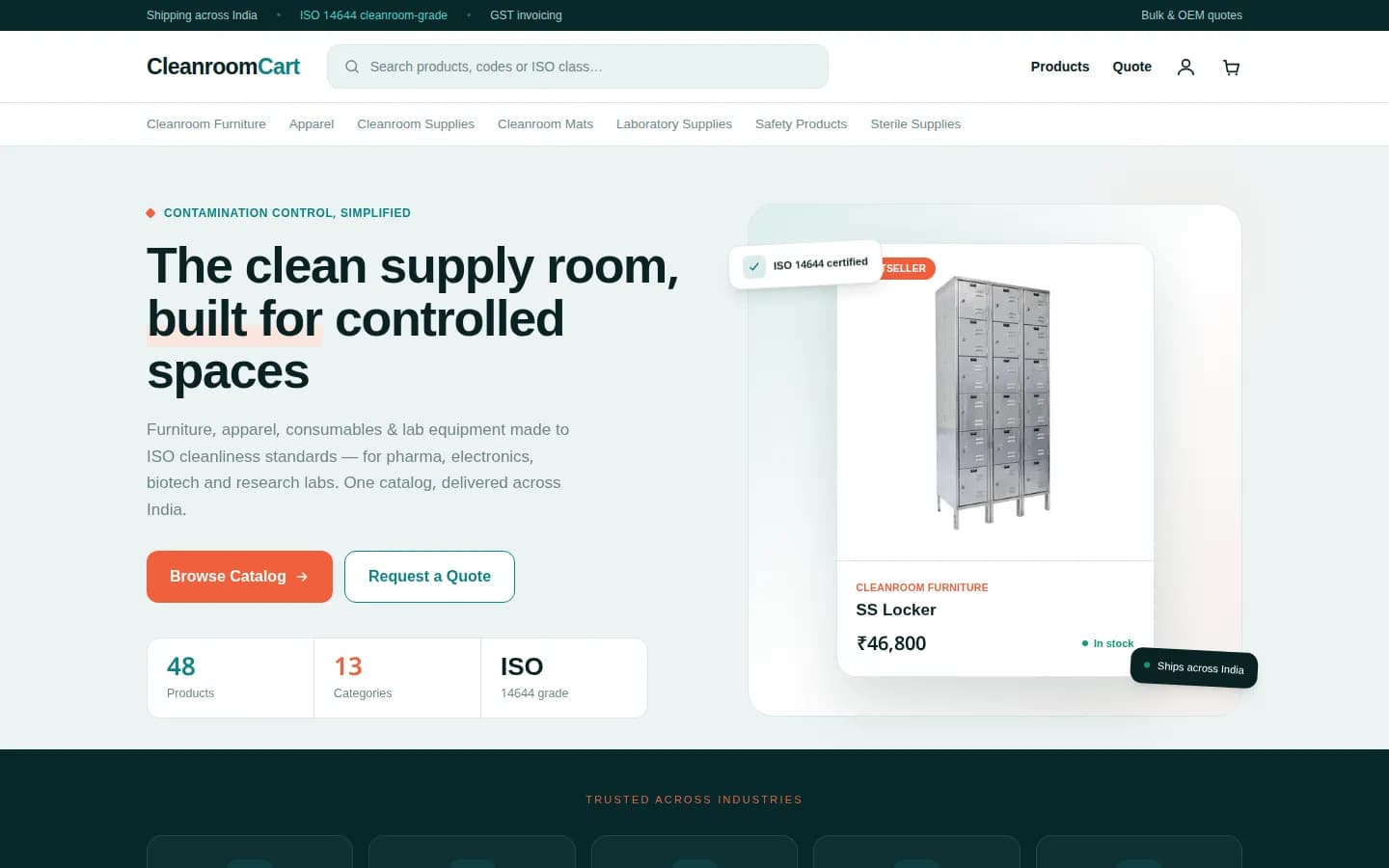
    Catalogues, search, cart and checkout, customer accounts, coupons, bulk quote requests, and seller dashboards with payouts. CleanroomCart is one we built.

  • Customer portals

    A place for customers to see orders, documents, invoices and support requests without phoning your team.

  • Dashboards and admin panels

    The screens your team runs the business from: orders, stock, leads, approvals and reports, with roles so people see only what they should.

  • Internal tools and workflows

    Replace a shared spreadsheet or a chain of WhatsApp messages with a proper system: forms, approvals, statuses and a history of who changed what.

  • APIs and integrations

    Connect to Razorpay, email and SMS, Tally or your ERP, Google Sheets and the other tools you already pay for.

  • Content and publishing systems

    Admin portals that let your team edit and publish a site safely, with drafts, previews and one-click publishing. Neelansh's admin is an example.

Signs you need a web app

  • Several people edit the same spreadsheet and nobody trusts which version is right.
  • Customers phone or email to ask for status updates you could show them online.
  • You pay for several tools that don't talk to each other and copy data between them.
  • A process runs on WhatsApp and memory, and breaks when one person is away.
  • You want to sell online with things a generic store doesn't handle: B2B pricing, quotes, GST details, multiple sellers.

How we work on web apps

  1. 01Map the work firstWe sit with the people who'll use the system and write down the real steps, roles and exceptions before designing screens.
  2. 02Live preview from early onA working version on a preview link, updated every week, so your team tries real screens with real data.
  3. 03Built to be handed overA mainstream stack (Next.js, Node.js, PostgreSQL) that other developers can pick up, with the code in your repository and documentation for running it.
  4. 04Security and roles by defaultSign-in, permissions, input validation, audit logs and backups are part of the first release, not an add-on.
  5. 05Launch, then iterateWe ship the core workflow first, watch how it is used, and add features in order of value.

What drives the cost of a web app

  • The number of user roles and workflows: a single-team tool is smaller than a three-sided marketplace.
  • Integrations with payment gateways, accounting software, ERPs and third-party APIs.
  • Data migration from spreadsheets or an old system.
  • Reporting needs: a few totals versus detailed exports and charts.
  • Hosting is a monthly cost that depends on usage; we size it for today and show what it costs as you grow.

Every project gets a written scope, milestones and cost before work starts. Tell us what you need and a founder will reply with questions and a realistic estimate.

Related work

Live projects

cleanroomcart.in
CleanroomCart online store — desktop home page
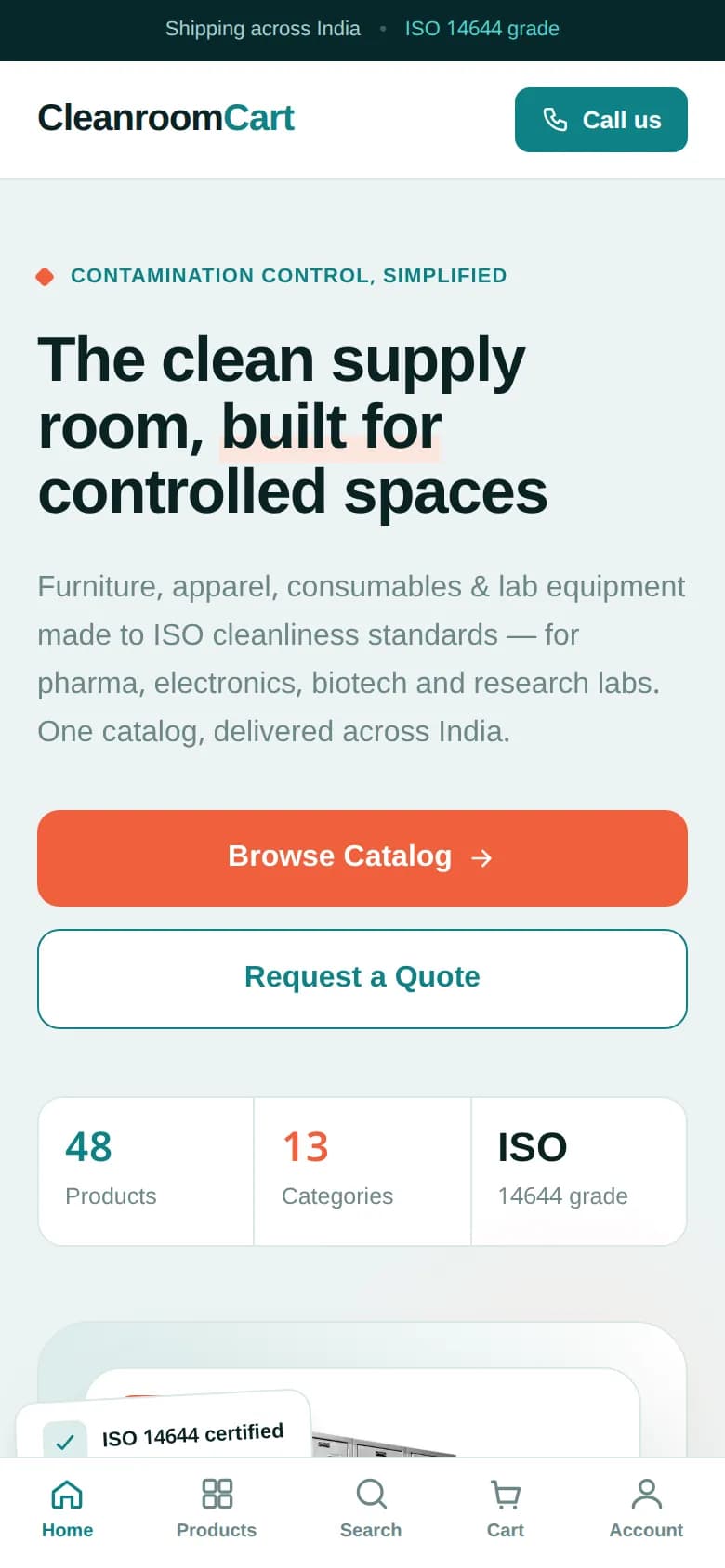
CleanroomCart online store — mobile

E-commerce marketplace

CleanroomCart

cleanroomcart.in

An online store for cleanroom supplies — catalogue, search, cart, customer accounts, bulk quote requests and a seller programme.

  • Next.js
  • React
  • TypeScript
  • Tailwind CSS
  • Fastify
  • PostgreSQL
  • Prisma
  • Redis
  • Zod
Read the case study
neelanshequipment.com
Neelansh Equipments & Machines website — desktop home page
Neelansh Equipments & Machines website — mobile

Company website & admin portal

Neelansh Equipments & Machines

neelanshequipment.com

A mobile-first rebuild for a stainless-steel equipment manufacturer, with an admin portal that lets the team edit and publish the site themselves.

  • Next.js
  • React
  • Tailwind CSS
  • Nodemailer
  • nginx
  • Cloudflare
Read the case study

FAQ

Web apps: common questions

Should we build custom software or use an off-the-shelf tool?

If an existing tool fits 80% of your process at a fair price, use it, and we'll tell you so. Custom makes sense when the process is what sets you apart, when tools force workarounds, or when per-user fees grow faster than the business.

What technology do you use?

Usually Next.js and React for the interface, Node.js (Fastify) for APIs, PostgreSQL with Prisma for data and Redis for speed. It's a mainstream stack, so you aren't locked in to us.

Can you take over or rebuild an existing system?

Yes. We review the current code and data first, then recommend fixing, extending or replacing it, and plan the migration so the business keeps running.

Who owns the code?

You do. The code lives in a repository under your account, and the hosting, domain and third-party accounts are in your name from the start.

Can it connect to Tally, our ERP or other tools?

Usually yes, through the tool's API, file exports or a small connector. We check what your version supports before quoting.

Where is it hosted?

On a cloud host chosen for the project, such as Vercel, a VPS or a major cloud provider, with a CDN like Cloudflare in front. We set up backups and monitoring, and the accounts are yours.

Start a project

Tell us what you want to build. We'll reply with honest questions, a rough plan and a realistic estimate — usually within one working day.

Or email [email protected]

Rather talk it through?

We reply within one working day.